
Let’s have a go at this, using clear and simple language understandable to the layperson:
If you want one flagship that makes the idea undeniable, build: The GFL “Living Bioregion Model” (MVP → full platform)
A public bioregional health dashboard spanning ecological/economic/social/cultural dimensions (explicitly consistent with your GFL articulation). (Genesee Finger Lakes Bioregion)
A scenario room: 5–10 “what if” levers (wetland acres restored, riparian buffers, heat pump adoption, local procurement, etc.) with transparent assumptions.
A commons back-end: every chart has a “source + method + steward” panel; every indicator is forkable for other bioregions.
A deliberation interface: structured community input tied to the same indicator set (so participation is grounded, not performative), echoing the Lab’s emphasis on collective intelligence and better deliberation. (Possible Planet Lab)
Below is a clear, plain-language articulation of a single flagship that can make the idea of bioregional intelligenceconcrete and credible to a general audience.
The GFL “Living Bioregion Model”
A practical, public way to see how a place is doing—and how our choices shape its future.
What it is
The Living Bioregion Model is an online, public platform for the Genesee Finger Lakes Bioregion that helps people understand the health of their region and explore how different decisions could improve it over time.
Think of it as a community dashboard + planning room + learning commons, all in one.
1. A bioregional health dashboard
“How are we really doing?”
The dashboard shows the overall health of the region across four simple dimensions:
- Ecological – water quality, soil health, forests, wetlands, biodiversity
- Economic – local jobs, energy costs, resilience of local businesses
- Social – housing quality, public health, access to services
- Cultural – local food systems, Indigenous and historical knowledge, civic participation
Each indicator is chosen because it matters to everyday life in the Genesee–Finger Lakes region—and because it can be measured, tracked, and improved.
No jargon. No black boxes. Just clear signals about what’s improving, what’s declining, and what needs attention.
2. A “what-if” scenario room
“What happens if we choose differently?”
This is where the model becomes powerful and intuitive.
Users can adjust a small set of clear, real-world levers, such as:
- Acres of wetlands restored
- Miles of streamside (riparian) buffers planted
- Homes and buildings switching to heat pumps
- Percentage of food and materials bought locally
- Energy generated from renewables
As you move a lever, the dashboard updates to show likely impacts over time—on water, jobs, emissions, costs, and community wellbeing.
Every scenario shows:
- What assumptions are being made
- What we know for sure
- Where uncertainty remains
This builds trust, not false certainty.
3. A shared commons back-end
“Where does this information come from?”
Every chart and indicator includes a simple panel that answers three questions:
- Source – Where the data comes from
- Method – How it was calculated or modeled
- Steward – Who is responsible for maintaining it
Nothing is hidden.
Crucially, every indicator is forkable—meaning another bioregion can copy it, adapt it, and improve it for their own place. Over time, this creates a growing network of living bioregion models, not a one-off website.
4. A grounded deliberation interface
“How do we decide together?”
This is not just a data site—it is a collective thinking tool.
Residents, practitioners, and institutions can:
- Comment on indicators and scenarios
- Propose changes or additions
- Share local knowledge that data alone misses
All participation is tied directly to the same indicators shown on the dashboard. This keeps engagement grounded in shared evidence and shared goals, rather than abstract opinion or performative input.
This component reflects the core mission of Possible Planet Lab: strengthening collective intelligence and improving how communities deliberate about their future.
Why this works as a flagship
- It makes “bioregional intelligence” visible and practical
- It connects science, policy, and lived experience
- It invites participation without dumbing anything down
- It can start small (an MVP) and grow into a full platform
- It is replicable far beyond the Genesee–Finger Lakes
Most importantly, it helps people answer a simple but powerful question:
“If we care about this place, what should we do next—and what difference will it make?”
If you would like, the next step could be:
- a one-page public explainer,
- a simple wireframe of the MVP [ Minimum Viable Product ],
- or a funder-ready description of how this becomes a scalable bioregional intelligence infrastructure.
The simple wireframe of the MVP
Below is a simple, lay-person-friendly wireframe for the MVP of the GFL Living Bioregion Model. This is intentionally low-tech and conceptual—designed to align people, funders, and partners before any heavy design or engineering work begins.
MVP at a glance (one-screen logic)
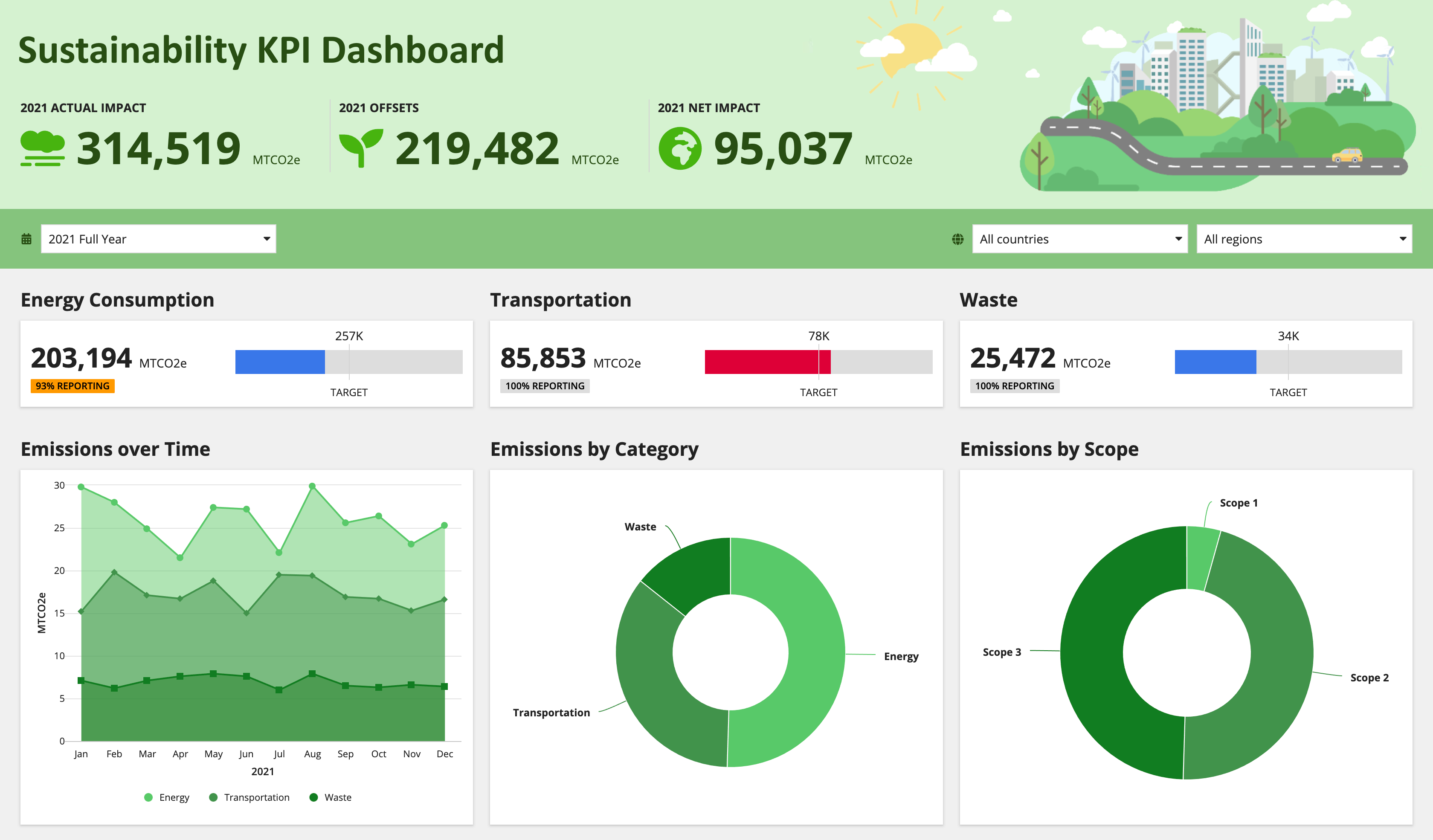



One public website, four connected sections, one shared data spine.
1. Home / Orientation page
“This is our place. This is how it’s doing.”
--------------------------------------------------
| GFL Living Bioregion Model                     |
| Understanding the health of our region         |
--------------------------------------------------
| [ Map of the Genesee–Finger Lakes Bioregion ]  |
|  • Watersheds                                 |
|  • Lakes & rivers                             |
|  • Major communities                          |
--------------------------------------------------
| Overall Bioregional Health:  ◉ Stable         |
| Ecological | Economic | Social | Cultural     |
--------------------------------------------------
| [ Explore the Dashboard ]  [ Try Scenarios ]  |
--------------------------------------------------
Purpose
- Instantly ground the user in place
- Establish trust and relevance
- Avoid abstraction
Plain-language promise
“This tool helps us see how our region is doing—and what we can do to improve it.”
2. Bioregional Health Dashboard
“What’s happening right now?”
--------------------------------------------------
| Bioregional Health Dashboard                  |
--------------------------------------------------
| Ecological   Economic   Social   Cultural      |
|  [tab]        [tab]     [tab]     [tab]        |
--------------------------------------------------

| Indicator: Water Quality                      |
|  ● Improving slightly                         |
|  Simple chart (last 10 years → today)         |
--------------------------------------------------
| Why this matters                              |
| • Drinking water                              |
| • Fisheries                                  |
| • Tourism                                    |
--------------------------------------------------
| Source | Method | Steward                     |
--------------------------------------------------
MVP indicator set
- 5–7 indicators per category (no more)
- Each indicator fits on one screen
- No scrolling essays
Design rule
If a high-school student can’t explain the chart in 30 seconds, it’s too complex.
3. Scenario Room
“What if we made different choices?”
--------------------------------------------------
| Scenario Room                                 |
| Explore possible futures                      |
--------------------------------------------------

| Choose a lever                                |
| Wetlands restored:  [---|-----]  5k → 20k ac  |
| Heat pumps installed: [--|----] 10% → 40%     |
| Local food purchasing: [--|----] 15% → 35%    |
--------------------------------------------------

| Projected impacts (10–20 years)               |
| • Water quality: ↑                            |
| • Flood risk: ↓                               |
| • Local jobs: ↑                               |
| • Household energy costs: ↓                   |
--------------------------------------------------
| Assumptions | What we know | Uncertainty      |
--------------------------------------------------
Key MVP constraint
- 5–10 levers total
- Explicit assumptions
- No claim of prediction—only direction and magnitude
User takeaway
“I can see how actions connect to outcomes.”
4. Commons Panel (behind every chart)
“Nothing hidden.”
--------------------------------------------------
| Indicator Commons Panel                       |
--------------------------------------------------
| Source:                                      |
| • State & federal datasets                   |
| • Regional research                          |
--------------------------------------------------
| Method:                                      |
| • Rolling average                            |
| • Peer-reviewed relationships                |
--------------------------------------------------
| Steward:                                     |
| • Named organization or working group        |
--------------------------------------------------
| [ Fork this indicator for another region ]   |
--------------------------------------------------
Why this matters
- Builds legitimacy
- Enables replication
- Prevents “trust us” dynamics
This is where the project quietly becomes infrastructure, not just a website.
5. Deliberation & Community Input
“Think together, grounded in reality.”
--------------------------------------------------
| Community Deliberation                        |
--------------------------------------------------
| Indicator under discussion:                  |
| Riparian buffer restoration                  |
--------------------------------------------------
| Community input                              |
| • Local experience                           |
| • On-the-ground observations                |
| • Policy suggestions                        |
--------------------------------------------------
| Linked indicators                            |
| • Water quality                              |
| • Flood resilience                           |
--------------------------------------------------
MVP guardrails
- Comments must link to an indicator or scenario
- No free-floating opinion threads
- Moderation focused on clarity, not ideology
Result
Participation that improves understanding, not noise.
What makes this an MVP (and not a moonshot)
- One bioregion
- Limited indicators
- Simple visuals
- Transparent assumptions
- Real data + real people
Everything else—AI agents, automation, multi-bioregion networks—can layer on later.
The core idea, in one sentence
The Living Bioregion Model lets a community see itself clearly, explore better futures together, and learn—openly and honestly—how to care for the place that sustains it.
If you want, the next logical step would be:
- a one-page funder diagram, or
- a technical MVP build list (data sources, roles, light AI use), or
- a storyboard version for public presentations.
If I want to build the MVP as an add-on to GFLBioregion.org, using WordPress, please lay out the design and navigation, and show me how to access the live data sources so as to give an up-to-date picture (along with historical comparisons) for the key components of the Living Bioregion Model. Tell me if I need certain plug-ins or a particular theme, or whether I can use my current favorite, Arcade Basic.
Below is a practical way to build the Living Bioregion Model MVP as a WordPress “add-on” inside GFLBioregion.org—with a clear navigation structure and a straightforward approach to live data + historical comparisons.
1) Information architecture and navigation (what visitors see)
Top-level menu (5 items)
- Dashboard
- Scenarios
- Data Commons
- Participate
- About / Methods
This keeps the MVP legible to non-technical visitors while creating a clean place for “how we know what we know.”
2) Page and template wireframes (WordPress-friendly)
A. Dashboard landing page (single page)
URL: /living-bioregion/ or /dashboard/
Layout
- Hero: “How is the Genesee–Finger Lakes Bioregion doing?”
- Bioregion map (simple outline + key watersheds/places)
- Four category tiles (Ecological / Economic / Social / Cultural)
- Top 12 indicators grid (3 per category): each tile shows
- status (improving / stable / declining)
- latest value + “vs. 5 years ago”
- click-through
Click-through behavior
- Each indicator tile links to an Indicator Detail Page.
B. Category pages (4 pages)
URLs:
/dashboard/ecological/
/dashboard/economic/ etc.
Layout
- Short, plain-language intro: what this dimension means
- A list/grid of indicators (5–7 each in MVP)
- Filters: “County / Watershed (optional in MVP)” and “Time range: 5y / 10y / full record”
C. Indicator detail page (the core “trust page”)
URL pattern: /indicator/water-quality-nitrates/
Layout (above the fold)
- Title + one-sentence meaning
- “Latest reading” + “trend” + “comparison” (e.g., vs 2015–2019 average)
- One chart (time series)
Below the fold (the Commons panel)
- Source (who publishes the data)
- Method (how you aggregated it for the bioregion)
- Steward (who maintains this indicator on your site)
- Download / API (optional: link to raw query)
- Known limitations (plain language)
This page is where credibility is earned.
D. Scenarios page (simple MVP)
URL: /scenarios/
Layout
- Intro text: “Move a lever, see directional impacts (not predictions).”
- 5–10 sliders (wetlands restored, riparian buffers, heat pumps, local procurement, etc.)
- Outputs: 4–8 “impact cards” (e.g., flood risk, emissions, water quality proxy, energy cost proxy)
MVP implementation note
Do not try to build a full simulation engine at first. Start with:
- transparent “rules of thumb” (elasticities) and
- a clear assumptions panel.
E. Data Commons page (catalog)
URL: /data-commons/
Layout
- searchable table of indicators:
- Name
- Category
- Source agency
- Update frequency
- Steward
- “Forkable” notes (how another bioregion would reuse it)
F. Participate page (structured input)
URL: /participate/
Layout
- A structured form:
- pick an indicator (dropdown)
- pick the type of input (local observation / missing data / policy idea / project link)
- submit text + optional link/upload
- Display recent submissions by indicator (moderated)
This keeps participation grounded in the same indicator set.
3) Do you need a new theme, or can you use Arcade Basic?
You can use Arcade Basic for the MVP
Nothing about dashboards, charts, or maps requires a special theme. Most of the MVP is page layout + embeds.
However, Arcade/Arcade Basic is an older “classic” theme family; the Bavotasan Arcade theme page shows it was last updated in 2017 (and built around older-era assumptions). (Themes by bavotasan.com)
That does not automatically mean “unsafe,” but it increases the likelihood you’ll fight layout constraints and block-editor styling inconsistencies.
Practical recommendation
- If you want the MVP quickly: keep Arcade Basic, but create:
- a child theme (for small CSS tweaks),
- one or two full-width page templates for Dashboard/Scenarios.
- If you want a platform that will grow: consider moving later to a modern block theme (or a lightweight modern classic theme). This is not required for MVP, but it typically reduces friction for dashboards.
4) The “live data” strategy (how to make it current + historical)
You have two viable patterns:
Pattern A (simplest): Charts that pull from a URL (CSV/JSON)
Use a chart plugin that can import data from a URL and refresh periodically.
Visualizer supports importing chart data from external URLs (CSV/JSON), which is ideal for “always current” dashboards. (WordPress.org)
In this pattern you create:
- a “data endpoint” you control (could be a Google Sheet published as CSV, or a simple JSON file on your server),
- and Visualizer reads it and renders charts.
Downside: you still need something to produce that CSV/JSON (see “Data Loader” below).
Pattern B (more robust): WordPress fetches APIs, caches, stores series
You create a small “data loader” layer:
- WordPress runs scheduled fetches (daily/weekly)
- Stores data as time series (in custom tables or post meta)
- Charts read from your local store (fast and stable)
This is the more “platform” approach.
5) The “Data Loader” you’ll need (lightweight, MVP-appropriate)
To make this work cleanly in WordPress, treat each indicator as a content object with:
- metadata (name, definition, geography)
- source configuration (API endpoint + query parameters)
- update schedule
- steward
WordPress content model (recommended)
Create a custom post type: Indicators
Each Indicator has fields:
- Category (eco/econ/social/cultural)
- Definition (plain language)
- Geography selector (counties / HUC watershed IDs / bounding box)
- Source type (USGS / WQP / NOAA / Census / etc.)
- API query template (stored text)
- Update frequency
- Steward
You can implement the custom post type and fields with a plugin (no code).
6) Live data sources to use (with historical comparisons)
Below are “high-trust, API-accessible” sources that naturally support historical time series.
Ecological
Water quality (discrete samples, many parameters)
- Water Quality Portal (WQP) integrates USGS/EPA and hundreds of partners; it provides web services with query filters and outputs. (Water Quality Data)
Use for: nitrates/phosphorus, E. coli, dissolved oxygen, turbidity, chlorophyll (where monitored).
Streamflow / gauge height (continuous + daily values, long record)
- USGS Water Services provides daily and other series, including historical data. (Water Services Web)
Use for: flood/low-flow indicators, drought proxies, watershed response.
Weather & climate
- NOAA Climate Data Online API supports access to weather/climate records and requires an access token. (NCEI)
Use for: temperature trends, extreme rainfall days, snowpack proxies (where available).
Land / agriculture
- USDA NASS Quick Stats provides county-level agricultural statistics via API. (NASS)
Use for: acres by crop, farm counts, some practice proxies (where available), ag economics.
Economic
Employment and labor force
- BLS Public Data API provides time series access. (Bureau of Labor Statistics)
Use for: unemployment rate (by county/area series), sector signals (where available).
Regional GDP / county economic output (release cadence)
- BEA publishes county GDP releases (not “daily live,” but regularly updated). (Bureau of Economic Analysis)
Use for: long-run economic structure, diversification, productivity trends.
Energy (varies by geography)
- EIA Open Data API provides access to energy time series. (U.S. Energy Information Administration)
County-level consumption is not always straightforward, but state-level and plant-level data are accessible; for an MVP you can start with New York State and bioregion-relevant subsets, and clearly label geographic resolution.
Social (and some “cultural-ish” proxies)
Demographics, housing, commuting, income, education
- Census ACS 5-year API provides consistent time series at county/place levels (note: syntax changes occurred for 2023 5-year). (Census.gov)
Use for: housing cost burden, broadband access, commute modes, income, education.
For “cultural” indicators, many are not truly standardized by federal APIs; in the MVP, it is acceptable to start with a smaller set of credible proxies and add community-sourced layers later (with transparent “method + steward” notes).
7) Plugins you’re likely to want (MVP stack)
Must-have (or near must-have)
- Custom Post Type + Fields
- Use a plugin approach (e.g., Pods or Advanced Custom Fields) to create the Indicators post type and store Source/Method/Steward data.
- Charts
- Visualizer for quick, presentable charts that can import from URLs. (WordPress.org)
- Maps
- Leaflet Map plugin for interactive maps embedded via shortcodes. (WordPress.org)
Optional but helpful
- API integration / caching
- A “get external API into WP” plugin can work, but many teams end up using a small custom plugin so you control caching, error handling, and rate limits.
- Forms for Participation
- Any reputable form plugin (Gravity Forms / Fluent Forms / etc.) to collect structured submissions tied to an indicator.
8) How you actually “access the live data” in practice (simple, repeatable workflow)
Step 1: Define the bioregion boundary for queries
Pick one primary geography for MVP:
- a set of counties, or
- a set of HUC watershed IDs, or
- a bounding box/polygon (where supported)
Store this once, reuse everywhere.
Step 2: For each indicator, store one query template
Example (conceptually):
- Source: WQP
- Parameters: bioregion geography + date range
- Output: CSV/JSON
WQP and USGS are designed for URL-style querying with filters and multi-format outputs. (Water Quality Data)
Step 3: Cache results and publish a stable “indicator data URL”
Even if you pull from federal APIs, your WordPress site should publish a stable endpoint per indicator, such as:
/data/indicator/{slug}.json/data/indicator/{slug}.csv
Your chart plugin reads your endpoint (fast, consistent), while your loader refreshes it on schedule.
Step 4: Render everywhere from the same object
- Dashboard tiles, category pages, indicator pages: all pull “latest value” and “trend” from the same stored series.
Bottom line recommendation
- You can keep Arcade Basic and still build a credible MVP. The key is building the Indicator content modeland the data loader + caching layer.
- Use Visualizer for charts (URL-fed) and Leaflet Map for the bioregion map. (WordPress.org)
- Anchor the MVP in WQP + USGS + NOAA + ACS as your “high-trust, time-series-ready” backbone. (Water Quality Data)
If you want, I can propose an MVP indicator list (12–20) specifically tuned to GFL, with a “best available API source” and an “update cadence” for each—so your build plan becomes a checklist rather than a concept.
Yes
Excellent. Below is a concrete MVP indicator checklist—designed so you can move directly from concept → implementation inside WordPress. This is intentionally conservative: high signal, high credibility, low friction.
I have tuned this specifically to the Genesee Finger Lakes Bioregion, with sources that are well-established, API-accessible, and suitable for historical comparison.
GFL Living Bioregion Model
MVP Indicator Set (18 indicators total)
Design rule for MVP
- 15–20 indicators max
- Each indicator must:
- matter to daily life,
- have at least 10 years of historical data (where possible),
- be explainable in one sentence.
A. Ecological (6 indicators)
1. Streamflow Extremes (Flood & Drought Proxy)
- What it shows: How river flows are changing—flood risk and low-flow stress
- Primary source: USGS stream gauge daily values (Water Services API)
- Geography: Selected gauges within GFL watersheds
- Update cadence: Daily (cached weekly)
- Historical depth: 30–100+ years (site dependent)
- MVP method: Annual count of high-flow and low-flow days vs historical baseline
- Why it matters: Flood damage, drought resilience, ecosystem stress
2. Nutrient Levels in Surface Waters (N & P)
- What it shows: Pollution pressure on lakes and rivers
- Primary source: EPA / USGS Water Quality Portal (WQP)
- Geography: Monitoring sites within bioregion
- Update cadence: Monthly–quarterly (as data released)
- Historical depth: 10–30 years (variable)
- MVP method: Rolling 5-year median by watershed
- Why it matters: Drinking water, algal blooms, fisheries
3. Harmful Algal Bloom (HAB) Occurrence (Proxy)
- What it shows: Frequency of bloom-favorable conditions
- Primary source: Derived from nutrient + temperature data (WQP + NOAA)
- Geography: Major Finger Lakes
- Update cadence: Seasonal
- Historical depth: ~15–20 years
- MVP method: Index score, not binary “bloom/no bloom”
- Why it matters: Health, tourism, ecosystem stability
4. Wetland Area (Extent)
- What it shows: Natural flood control and biodiversity capacity
- Primary source: National Wetlands Inventory (USFWS)
- Geography: Bioregion total
- Update cadence: Periodic (note lag clearly)
- Historical depth: Decadal snapshots
- MVP method: Area + % change over time
- Why it matters: Flooding, water quality, wildlife
5. Forest Cover
- What it shows: Carbon storage and habitat continuity
- Primary source: USDA Forest Service (FIA summaries)
- Geography: Counties within GFL
- Update cadence: Annual–biennial
- Historical depth: Decades
- MVP method: % of land area forested
- Why it matters: Climate resilience, biodiversity, recreation
6. Extreme Rainfall Days
- What it shows: Climate volatility
- Primary source: NOAA Climate Data Online
- Geography: Regional weather stations
- Update cadence: Daily (aggregated annually)
- Historical depth: 50–100 years (site dependent)
- MVP method: Days/year above 95th percentile rainfall
- Why it matters: Flooding, infrastructure stress, agriculture
B. Economic (5 indicators)
7. Local Employment Rate
- What it shows: Economic stability
- Primary source: BLS Local Area Unemployment Statistics (LAUS)
- Geography: Counties
- Update cadence: Monthly
- Historical depth: ~40 years
- MVP method: Employment-to-population ratio
- Why it matters: Household security, community resilience
8. Median Household Energy Burden
- What it shows: Share of income spent on energy
- Primary source: Census ACS + EIA state energy prices
- Geography: Counties
- Update cadence: Annual
- Historical depth: ~10–15 years
- MVP method: Modeled estimate (clearly labeled)
- Why it matters: Cost of living, equity, electrification readiness
9. Agricultural Land in Active Use
- What it shows: Food system capacity
- Primary source: USDA NASS Quick Stats
- Geography: Counties
- Update cadence: Annual / Census of Ag (5-year)
- Historical depth: Decades
- MVP method: Acres farmed as % of land
- Why it matters: Local food, landscape stewardship
10. Farm Economic Viability (Proxy)
- What it shows: Financial health of farming sector
- Primary source: USDA NASS (farm income, expenses)
- Geography: Counties
- Update cadence: Annual
- Historical depth: ~20 years
- MVP method: Net income trend index
- Why it matters: Land use continuity, rural livelihoods
11. Clean Energy Adoption (Electric Heating Proxy)
- What it shows: Transition away from fossil heating
- Primary source: Census ACS (primary heating fuel)
- Geography: Counties
- Update cadence: Annual (5-year ACS)
- Historical depth: ~10 years
- MVP method: % of homes using electricity as primary heat
- Why it matters: Emissions, household costs, grid planning
C. Social (4 indicators)
12. Housing Cost Burden
- What it shows: Affordability stress
- Primary source: Census ACS
- Geography: Counties
- Update cadence: Annual
- Historical depth: ~15 years
- MVP method: % of households >30% income on housing
- Why it matters: Stability, health, equity
13. Drinking Water System Violations
- What it shows: Public health risk
- Primary source: EPA Safe Drinking Water Information System (SDWIS)
- Geography: Community water systems in bioregion
- Update cadence: Quarterly
- Historical depth: ~20 years
- MVP method: Count and severity-weighted index
- Why it matters: Health, trust, infrastructure investment
14. Broadband Access
- What it shows: Capacity for participation and learning
- Primary source: Census ACS
- Geography: Counties
- Update cadence: Annual
- Historical depth: ~10 years
- MVP method: % of households with broadband
- Why it matters: Economic opportunity, civic access
15. Commute Mode Share
- What it shows: Transportation patterns
- Primary source: Census ACS
- Geography: Counties
- Update cadence: Annual
- Historical depth: ~15 years
- MVP method: % driving alone vs other modes
- Why it matters: Emissions, quality of life, infrastructure
D. Cultural / Civic (3 indicators)
Note: cultural indicators are inherently imperfect. MVP goal is transparent proxies, not false precision.
16. Local Food Direct Sales
- What it shows: Local food economy strength
- Primary source: USDA Census of Agriculture
- Geography: Counties
- Update cadence: Every 5 years
- Historical depth: Multiple census cycles
- MVP method: Inflation-adjusted trend
- Why it matters: Cultural continuity, farmer viability
17. Voter Participation (General Elections)
- What it shows: Civic engagement
- Primary source: NY State Board of Elections
- Geography: Counties
- Update cadence: Election cycle
- Historical depth: Decades
- MVP method: % turnout of voting-age population
- Why it matters: Collective decision-making capacity
18. Conservation & Stewardship Organizations (Density)
- What it shows: Civic capacity for care of place
- Primary source: IRS EO data (nonprofit registrations)
- Geography: Counties
- Update cadence: Annual
- Historical depth: ~20 years
- MVP method: Organizations per 10,000 residents
- Why it matters: Social infrastructure for regeneration
How this becomes a build checklist (practical next step)
For each indicator, you now have:
- a named source
- a clear geography
- a defined update cadence
- a plain-language method
- an explicit “why it matters”
This maps cleanly to:
- one Indicator post in WordPress,
- one API query template,
- one cached dataset,
- one Visualizer chart,
- one Commons panel.
Recommended build sequence (very important)
- Implement Ecological indicators first (USGS + WQP + NOAA)
- Add ACS-based Social indicators (fast, consistent)
- Add Economic indicators (BLS + USDA)
- Add Cultural proxies last, with careful language
This ensures early credibility and avoids getting bogged down in the hardest-to-quantify areas.
If you’d like next
I can:
- translate this list into a WordPress field schema (exact custom fields per indicator),
- write ready-to-paste “Source / Method / Steward” text for the first 5 indicators,
- or outline the minimal custom plugin that handles API fetch + caching safely.
This is now at the point where you could reasonably say: “We are building the Living Bioregion Model—here is exactly what Version 1 includes.”